File upload
The file upload component allows users to attach files as part of a form or digital service.
Using a work in progress component
This version is a work in progress and has not been finalized for the Ontario Design System. It currently includes early-stage Figma designs but no corresponding code.
Teams may use this component as a starting point but may need to conduct additional research and adapt the designs for their specific needs.
Design example
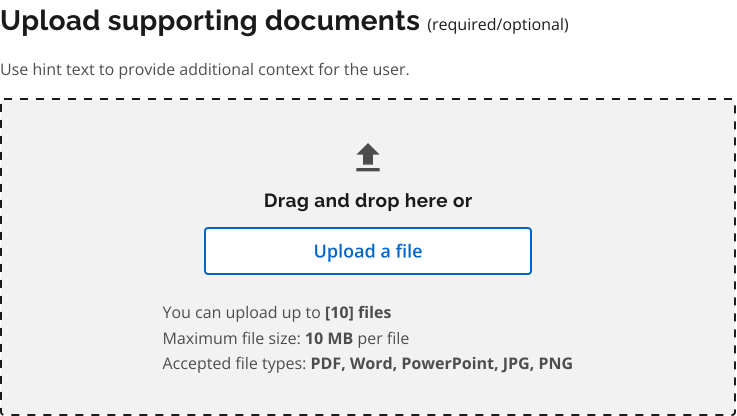
To request access to the work in progress component file, email design.system@ontario.ca.
Best practices
When designing or implementing a file upload component:
- clearly state allowed file types and size limits
- show immediate feedback (file name, status, or thumbnail) after selection so users can confirm correctness of uploaded files
- use clear, specific messages that tell users exactly what is wrong and how to fix it (for example, wrong file type, too large, empty file)
This guidance is not comprehensive. You may need to do additional research to ensure the component meets user needs and aligns with best practices.
Share your findings
If your team uses or tests this early version, we encourage you to share your findings with us. Your feedback supports the future development of the component.
Email us at design.system@ontario.ca
If you have any questions or feedback, please get in touch.